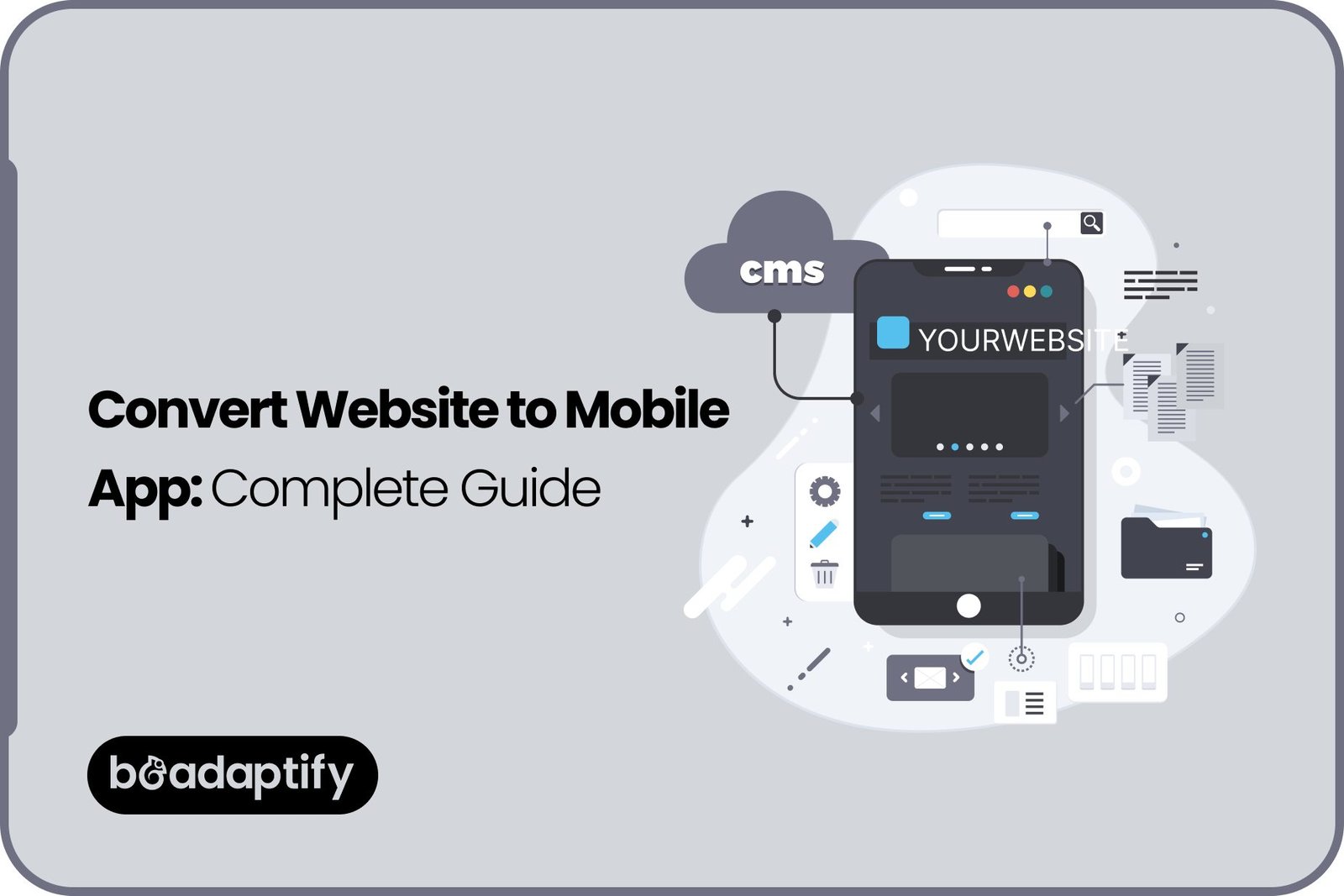
Website-to-mobile-app conversion offers an opportunity to extend an existing digital platform into the mobile environment. Instead of starting from scratch, existing website functionality, databases, APIs, and business logic may be reused to create an Android or iOS application. Depending on the project’s requirements, this transformation can be achieved through WebView technology, Progressive Web Apps (PWAs), hybrid development, cross-platform frameworks, or fully native mobile application development.
However, simply displaying a website inside a mobile application may not be enough to deliver a successful user experience. Mobile-specific capabilities such as push notifications, offline access, biometric authentication, GPS integration, and optimized navigation may need to be introduced to make the application more useful.
For startups, ecommerce businesses, service providers, and established enterprises, converting a website into an app can create new opportunities for customer engagement, accessibility, and retention. With the right mobile app development strategy, existing website capabilities can be extended into a dedicated mobile experience.
In this guide, the different methods of website-to-app conversion, the step-by-step development process, essential features, estimated costs, common challenges, and best practices for 2027 will be explored.
Can You Turn an Existing Website Into a Mobile App?
Yes. An existing website can be transformed into an Android or iOS application using several development approaches. The most suitable method will depend on the website’s architecture, functionality, performance requirements, and desired mobile features.
In many cases, the existing website’s backend, database, APIs, and business logic can be reused. This can reduce the amount of work required compared with developing an entirely new application.
For example, an ecommerce website that already supports customer accounts, product catalogs, shopping carts, and online payments can be connected to a mobile application. The same products and business information can be displayed through a dedicated mobile interface, while additional app-specific capabilities can be introduced.
However, a responsive website cannot automatically be considered a fully developed mobile application. Additional development may be required to support native device features, mobile navigation, offline functionality, notifications, and platform-specific requirements.
Before starting website app development, the following aspects should be evaluated:
- Website architecture: The existing frontend, backend, database, and API structure should be reviewed.
- Mobile responsiveness: Website layouts should be evaluated across different screen sizes.
- Existing functionality: Features that should be retained, improved, or redesigned should be identified.
- Integration requirements: Payment gateways, authentication systems, third-party services, and databases should be assessed.
- Performance: Website loading speed and resource usage should be evaluated.
- Mobile-specific requirements: Device capabilities, push notifications, offline access, and security features should be considered.
Therefore, the answer to whether an existing website can be converted into a mobile application is yes, but the development approach should be selected according to the expected user experience and business objectives.
Benefits of Turning a Website Into a Mobile App
A website already provides an online presence, but a dedicated mobile application can create additional opportunities for customer interaction. When the right functionality is introduced, a mobile app can make digital services more accessible and convenient.
1 Improved User Experience
Mobile applications can be designed specifically for smartphone screens, touch interactions, and mobile navigation. Instead of relying entirely on browser-based layouts, a dedicated interface can be developed around the way users interact with mobile devices.
Simplified navigation, personalized dashboards, faster access to frequently used features, and optimized screen layouts can be introduced to improve the overall mobile app user experience.
2 Better Customer Engagement
Mobile applications provide additional ways to communicate with users. Through mobile app push notifications, customers can be informed about order updates, appointment reminders, promotional offers, new services, and important account activities.
Unlike website visitors who may need to revisit a browser, app users can receive relevant notifications directly on supported devices, subject to their notification preferences and platform permissions.
3 Convenient Access
A mobile application can be installed on a device and accessed through its home screen. This makes frequently used services easier to reach without requiring users to open a browser and enter a website address.
For businesses with repeat customers, this convenience can support stronger engagement and more consistent interactions.
4 Offline Accessibility
Selected mobile app features can be made available without a continuous internet connection. For example, previously accessed information, saved content, and certain application functions may be stored locally.
Mobile app offline functionality can be particularly useful for travel applications, educational platforms, productivity tools, and applications that need to provide access to essential information in areas with limited connectivity.
5 Access to Device Features
A mobile application can be integrated with supported device capabilities, including:
- Camera and image uploads.
- GPS and location services.
- Biometric authentication.
- Contacts and calendar access, where appropriate.
- File storage.
- Device notifications.
- Bluetooth and other supported hardware integrations.
These capabilities can be used to create functionality that may not be available through a standard website experience.
6 Stronger Brand Visibility
Once installed, an application remains visible on a user’s device through its app icon. This creates another opportunity for customers to access a business’s services and interact with its digital platform.
App Store and Google Play publishing can also introduce an additional discovery channel, although app visibility and downloads are influenced by competition, app quality, reviews, and store optimization.
Different Ways to Convert a Website Into a Mobile App
There is no single method that works for every website. Several approaches can be used to convert a website into an app, and each comes with different development requirements, advantages, and limitations.
1 Converting a Website Using a WebView App
A WebView mobile application is one of the simplest approaches to website-to-mobile-app conversion. In this method, an existing website is displayed inside a mobile application using a WebView component.
The website is loaded within the app rather than being opened separately in a mobile browser. The application can also be configured with selected native features, depending on the development framework and implementation.
How WebView conversion works:
- The existing website is reviewed for mobile compatibility.
- A mobile application project is created.
- A WebView component is configured to load the website.
- Navigation, authentication, and relevant device permissions are configured.
- Additional mobile features are integrated where required.
- The application is tested and prepared for store submission.
Advantages:
- Existing website functionality can be reused.
- Initial development can be relatively quick.
- Lower development effort may be required for simple projects.
- Website content can remain centrally managed.
Limitations:
- Performance may depend heavily on the website and network connection.
- Native functionality may require additional development.
- Offline capabilities are not automatically provided.
- A website-like interface may not deliver the experience expected from a dedicated mobile app.
- App Store and Google Play review requirements still need to be satisfied.
WebView applications may be suitable for content-driven platforms, simple service websites, and businesses that need a basic mobile presence. However, a simple website wrapper should not be selected when extensive native functionality or complex mobile interactions are required.
2 Using Progressive Web App (PWA) Technology
Progressive Web App (PWA) development offers another way to provide an app-like experience through web technologies.
A PWA is a website enhanced with capabilities that allow it to be installed or added to a device’s home screen through supported browsers and operating systems. It can use technologies such as service workers, web app manifests, and caching to provide selected offline capabilities.
Key PWA capabilities include:
- Installable web experiences.
- Offline access to cached content.
- Responsive mobile interfaces.
- Faster repeat visits through caching.
- Push notifications where supported.
- Automatic content updates through the web deployment process.
Advantages:
- A shared web codebase can serve multiple device types.
- Installation can be offered without a conventional app-store download in supported environments.
- Updates can be delivered through the website.
- Development may be more cost-effective for certain projects.
Limitations:
- Device feature access varies by browser and operating system.
- Some native capabilities may be restricted or require additional implementation.
- App-store distribution is not automatic.
- Push notification support and behavior vary across platforms.
- A PWA may not satisfy the requirements of applications that depend heavily on native functionality.
A PWA may be suitable for businesses that want an installable, mobile-friendly web experience without maintaining separate native applications.
3 Building a Hybrid Mobile Application
Hybrid mobile app development combines web technologies with native application capabilities. In this approach, web-based components can be packaged within a native application container, while plugins or native integrations can be used to access device functionality.
Frameworks such as Ionic and Capacitor can be considered for this type of development.
For example, an existing website’s business logic and selected frontend components may be reused while a more mobile-focused interface is developed around them.
Advantages:
- Existing web development skills and components may be reused.
- Android and iOS applications can be developed through a shared approach.
- Native capabilities can be integrated through supported plugins.
- Development effort may be reduced compared with separate native projects.
Limitations:
- Complex animations and performance-intensive features may require additional optimization.
- Plugin compatibility and maintenance need to be considered.
- Some platform-specific behavior may require custom native code.
Hybrid development can be a practical option for businesses that want more mobile functionality than a basic WebView application while retaining parts of their existing web technology stack.
4 Developing a Cross-Platform Mobile Application
Cross-platform app development allows Android and iOS applications to be developed using a shared codebase for much of the application.
Frameworks such as React Native and Flutter can be used to build dedicated mobile interfaces while reusing selected business logic, APIs, and backend services from an existing website.
Unlike a basic WebView application, a cross-platform application can provide a more tailored mobile experience with platform-specific navigation and device integrations.
Advantages:
- A shared codebase can reduce duplicated development work.
- Android and iOS applications can be maintained through a coordinated process.
- Custom mobile interfaces can be created.
- Existing APIs and backend systems can often be reused.
- Additional mobile features can be introduced as the product grows.
Limitations:
- Existing website frontend code may not be directly reusable.
- Some features may require native modules or platform-specific implementation.
- Testing across multiple operating systems and devices remains essential.
Cross-platform development can be suitable for businesses that need dedicated Android and iOS applications with a consistent feature set and a more app-focused user experience.
5 Rebuilding the Website as a Native Mobile Application
Native mobile app development involves creating applications specifically for the target operating system.
For Android, Kotlin is commonly used, while Swift is a major technology for iOS application development. Existing website APIs, databases, and backend services can still be reused, but the mobile frontend is developed separately.
Advantages:
- Greater access to platform-specific capabilities.
- Highly customized mobile interfaces.
- Strong support for advanced device integrations.
- Greater control over performance optimization.
- Suitable for complex mobile workflows.
Limitations:
- Separate Android and iOS development may be required.
- Development and maintenance costs can be higher.
- More testing and coordination may be needed.
Native development may be the right choice when an application depends on advanced device functionality, complex interactions, high performance, or a highly customized mobile experience.
Step-by-Step Process to Turn a Website Into a Mobile App
A successful website-to-app transformation should be planned around the existing website, business objectives, and expected mobile user experience.
The following process can be followed to convert an existing website into an Android or iOS application.
Step 1: Analyze Your Existing Website
The first step is to evaluate the website that will be converted into a mobile application.
The website’s structure, design, functionality, technology stack, backend, and database should be reviewed. It should also be determined whether the existing platform is responsive and whether its important features work properly on mobile devices.
The following aspects should be assessed:
- Website design and navigation.
- Existing frontend and backend technologies.
- Database structure and API availability.
- User registration and authentication.
- Payment and third-party integrations.
- Website speed and performance.
- Mobile compatibility.
- Security requirements.
For example, if an ecommerce website already supports product browsing, cart management, and payment processing, those capabilities may be reused through APIs or other suitable integration methods.
A detailed assessment helps identify which parts of the website can be retained and which need to be redesigned or developed.
Step 2: Choose the Right Mobile App Development Approach
After the website has been evaluated, the appropriate conversion method should be selected.
A WebView application may be sufficient for a simple website-based app. A PWA may be more suitable when an installable web experience is required. Hybrid or cross-platform development may be preferred when more mobile-specific functionality is needed.
Native development should be considered when advanced performance or platform-specific capabilities are essential.
The selection should be based on:
- Project budget.
- Required mobile features.
- Existing website architecture.
- Performance expectations.
- Android and iOS requirements.
- Future scalability.
- Maintenance requirements.
The cheapest approach is not always the most suitable. The long-term requirements of the application should also be considered.
Step 3: Plan the Mobile App Features
A website may already contain several useful features, but a mobile application can be enhanced with additional capabilities.
Before development begins, the features to be retained, improved, or introduced should be documented.
Common features include:
- User registration and secure login.
- User profiles and account management.
- Push notifications.
- In-app search.
- Payment integration.
- Location-based functionality.
- Camera and file uploads.
- Offline access to selected information.
- Personalized dashboards.
- Analytics integration.
For example, an ecommerce application may require product browsing, shopping cart synchronization, secure payments, order tracking, and notifications. A service-booking application may need appointment scheduling, GPS integration, and booking reminders.
A clearly defined feature list can help control the project scope and development cost.
Step 4: Design a Mobile-Friendly User Interface
A website interface should not simply be copied into a mobile application without considering the differences in user behavior.
Mobile applications should be designed around smaller screens, touch interactions, device navigation, and convenient access to frequently used features.
During this stage, the following improvements should be considered:
- Simplified navigation and menus.
- Mobile-friendly buttons and controls.
- Clear typography and readable content.
- Optimized forms and input fields.
- Consistent visual elements.
- Accessible interface components.
- Improved loading and interaction states.
Professional UI/UX design services can be used to create an interface that feels natural on mobile devices.
Wireframes and interactive prototypes can also be prepared before development so that the navigation and user journey can be reviewed.
Step 5: Connect the Website Backend and APIs
The existing website backend can often be reused when a mobile application is developed.
Instead of creating separate databases for the website and application, both platforms may connect to a shared backend through APIs. This can help maintain consistent user accounts, product information, transactions, and other business data.
Important integrations may include:
- User authentication and account management.
- Product and content databases.
- Payment gateways.
- Booking and scheduling systems.
- Order management.
- Third-party services.
- Analytics platforms.
- Notification services.
API security, authorization, data validation, and synchronization should be carefully implemented.
For example, when a customer updates an account detail through the mobile application, the change should be reflected in the existing backend and made available to the website where appropriate.
Step 6: Develop and Integrate Mobile-Specific Features
Once the core architecture and integrations have been established, mobile-specific functionality can be developed.
Depending on the selected approach, the following capabilities may be introduced:
- Push notification services.
- GPS and location access.
- Camera and image capture.
- Biometric authentication.
- Offline data storage.
- Device-specific navigation.
- Deep linking.
- In-app payment functionality.
These capabilities should be integrated according to user requirements and platform permissions.
For example, location access should only be requested when it is necessary for a particular feature. Similarly, notification permissions should be handled transparently so that users understand why alerts are being sent.
Step 7: Test the Mobile Application
Testing should be performed before the application is released.
An application that works correctly on a single device may still experience layout, performance, or compatibility issues on other devices and operating system versions.
Important testing activities include:
Functional Testing: All major features, including login, navigation, payments, notifications, and integrations, should be checked.
Device Compatibility Testing: The application should be evaluated across supported Android and iOS devices and screen sizes.
Performance Testing: Loading speed, memory usage, responsiveness, and network behavior should be assessed.
Security Testing: Authentication, data storage, API access, and sensitive information handling should be reviewed.
Usability Testing: Real users should be involved where possible to identify navigation difficulties and confusing interactions.
Integration Testing: Website APIs, payment systems, databases, and third-party services should be checked for reliable communication.
Testing should be repeated after major fixes and before each important release.
Step 8: Publish the App on Google Play and Apple App Store
After testing has been completed, the application can be prepared for distribution.
For Android, the application can be submitted through Google Play Console. For iOS, distribution can be managed through App Store Connect.
The publishing process generally includes:
- Creating and configuring developer accounts.
- Preparing the application name and description.
- Designing the app icon and screenshots.
- Providing relevant privacy information.
- Configuring signing and release settings.
- Preparing the application build.
- Submitting the app for platform review.
- Addressing review feedback when required.
App Store and Google Play publishing requirements should be reviewed before development is finalized. A basic website wrapper may not provide sufficient functionality or quality for approval, so the application should deliver a useful and appropriate mobile experience.
Step 9: Maintain and Improve the App
The development process does not end when an application is published.
Mobile operating systems, devices, third-party services, and user expectations continue to change. Regular mobile app maintenance and support should therefore be included in the long-term plan.
Ongoing activities may include:
- Bug fixes and compatibility updates.
- Security improvements.
- Performance optimization.
- API and backend maintenance.
- New feature releases.
- Analytics and user feedback reviews.
- App Store and Google Play updates.
Continuous improvements can help keep the application reliable and relevant as the business grows.
Essential Features to Add When Converting a Website Into an App
A website-based application should provide meaningful value beyond displaying the same website on a mobile screen. The features selected should make the mobile experience more convenient, accessible, and useful.
The following capabilities can be considered during development:
Feature |
Purpose |
Business value |
|---|---|---|
| Push notifications | Sends relevant updates and alerts | Better customer engagement |
| Secure login | Provides protected account access | Improved account security |
| Biometric authentication | Supports fingerprint or face-based login | Convenient authentication |
| Offline access | Stores selected information locally | Access without continuous connectivity |
| In-app payments | Supports mobile transactions | Convenient purchasing |
| GPS integration | Enables location-based functionality | Better contextual services |
| Camera integration | Supports image capture and uploads | Easier user interactions |
| Personalized dashboard | Displays relevant account information | Improved user experience |
| In-app search | Helps users find information | Faster navigation |
| Analytics integration | Tracks application usage and performance | Better product decisions |
| Deep linking | Opens specific app content from links | Easier navigation and sharing |
| Synchronization | Keeps website and app data consistent | More connected user experiences |
Not every feature will be necessary for every project. An appropriate feature set should be selected according to the business model and the needs of the target audience.
How Much Does It Cost to Turn a Website Into a Mobile App in 2027?
The cost of converting a website into a mobile application depends on the development approach, existing website architecture, feature requirements, design complexity, backend integrations, and security needs.
A simple WebView application may require a relatively small investment, while a custom cross-platform or native application with advanced functionality may require considerably more development work.
The following figures can be used as preliminary budgeting estimates for 2027:
Development approach |
Estimated cost |
|---|---|
| Basic WebView app | $3,000–$8,000 |
| Progressive Web App (PWA) | $5,000–$15,000 |
| Hybrid mobile app | $8,000–$25,000 |
| Cross-platform mobile app | $15,000–$40,000 |
| Custom native mobile app | $25,000–$80,000+ |
These are indicative planning ranges rather than fixed market prices or guaranteed quotes. Actual costs can vary based on the project scope, development team, location, technology stack, integrations, and quality requirements.
Factors That Affect Website-to-App Conversion Costs
1. Existing Website Architecture
If the website already has a well-structured backend and reusable APIs, development effort may be reduced. If major architectural changes are required, additional work may be involved.
2. Development Approach
WebView and PWA approaches may require less initial development effort for certain projects. Hybrid, cross-platform, and native applications may require more extensive design, implementation, and testing.
3. Feature Complexity
Basic account access and content display will generally require less work than advanced functionality such as offline synchronization, biometric authentication, GPS services, real-time communication, and in-app payments.
4. UI/UX Design Requirements
A dedicated mobile interface may need to be created instead of simply reusing the website’s layout. The number of screens, user roles, design components, and accessibility requirements can influence the cost.
5. Backend and Third-Party Integrations
Integrations with payment gateways, databases, authentication systems, analytics tools, and external APIs can increase development effort.
6. Testing and Security
Device compatibility, performance, security, and platform testing should be included in the project budget.
7. Maintenance and Support
After launch, expenses may be incurred for hosting, third-party services, bug fixes, security updates, and feature improvements.
For startups and businesses working with a limited budget, MVP development services can be considered. A focused initial application can be launched with essential features, while additional functionality can be introduced after user feedback and business requirements have been evaluated.
Website-to-App Conversion: Which Development Approach Should You Choose?
The right conversion approach depends on how the application will be used and the level of mobile functionality required.
Development approach |
Development effort |
Device feature access |
Best suited for |
|---|---|---|---|
| WebView | Low | Limited to moderate | Simple website-based applications |
| PWA | Low to moderate | Browser and platform dependent | Installable web experiences |
| Hybrid | Moderate | Through native plugins | Content-driven and business applications |
| Cross-platform | Moderate to high | Broad platform access | Feature-rich Android and iOS applications |
| Native | High | Full platform capabilities | Performance-intensive and advanced applications |
When Should You Choose WebView?
WebView may be appropriate when the existing website already provides the required functionality and only a basic mobile application container is needed.
When Should You Choose PWA?
A PWA may be suitable when the main objective is to provide an installable, responsive web experience with selected offline and notification capabilities.
When Should You Choose Hybrid Development?
Hybrid development may be appropriate when website technologies are expected to be reused while additional native device capabilities are required.
When Should You Choose Cross-Platform Development?
Cross-platform development may be a good choice when dedicated Android and iOS applications are needed, but a shared development approach is preferred.
When Should You Choose Native Development?
Native development should be considered when advanced device integrations, platform-specific features, complex interactions, or demanding performance requirements are central to the product.
Ultimately, the best choice should be determined by the application requirements rather than by development cost alone.
Common Challenges When Converting a Website Into a Mobile App
Although website-to-mobile-app conversion can reduce the need to rebuild an entire digital platform, several challenges may need to be addressed.
Website Responsiveness and Compatibility
An existing website may not have been designed for every mobile screen size. Layouts, menus, forms, and interactive elements may need to be adjusted before they can be used effectively in an application.
Performance and Loading Speed
A website-based app may depend on network connectivity and website performance. Large images, unnecessary scripts, and inefficient API requests can affect loading times.
Mobile app performance optimization should therefore be included in the development process.
Limited Functionality in Basic WebView Applications
A basic WebView app may not provide all the capabilities expected from a native application. Additional integrations may be required for offline access, biometric authentication, notifications, and device hardware.
Backend and API Integration
Website and mobile application data must be synchronized reliably. Poorly designed integrations can result in inconsistent information, failed transactions, or authentication issues.
Data Security and Authentication
User information, payment details, and account credentials should be protected through secure authentication, authorization, encryption, and appropriate data handling practices.
Operating System and Device Compatibility
Android and iOS devices differ in screen sizes, operating system versions, permissions, and platform behavior. Compatibility testing should be planned accordingly.
App Store and Google Play Review Requirements
Publishing a website-based application may involve additional review considerations. The application should offer sufficient utility, appropriate functionality, and a reliable user experience rather than simply duplicating a website without meaningful mobile value.
Long-Term Maintenance
The website and mobile application may share backend services but still require separate frontend updates. A clear maintenance strategy should be established to keep both platforms compatible and reliable.
Best Practices for Successful Website-to-App Conversion
A well-planned conversion process can help reduce development risks and create a more useful mobile product.
The following practices should be considered:
Start With a Mobile-First Strategy: The application should be designed around mobile user behavior instead of simply reproducing desktop website layouts.
Reuse Existing Functionality Where Practical: Existing databases, APIs, business logic, and integrations should be evaluated for reuse to reduce unnecessary duplication.
Prioritize User Experience: Navigation, forms, screen layouts, accessibility, and frequently used features should be optimized for smartphones.
Add Meaningful Mobile Features: Push notifications, offline access, GPS, camera integration, and biometric authentication should be introduced when they provide genuine value.
Focus on Security: Authentication, API authorization, encryption, and sensitive data handling should be reviewed throughout development.
Test Across Multiple Devices: Different screen sizes, operating system versions, and network conditions should be considered during testing.
Plan for Scalability: The application architecture should support future features, increasing user activity, and additional integrations.
Monitor User Feedback: Analytics, app reviews, and customer feedback should be evaluated after launch to identify opportunities for improvement.
These practices can help ensure that website-to-app development delivers more than a simple change in platform. The goal should be to create a reliable mobile experience that supports business growth.
How Beadaptify Can Help Turn Your Website Into a Mobile App
Turning an existing website into a mobile application requires more than technical conversion. The process should be supported by the right architecture, mobile-focused design, API integrations, testing, and ongoing optimization.
At Beadaptify, businesses can be supported throughout the process of transforming existing digital platforms into scalable mobile applications. From initial website assessment to mobile interface development and application launch, the right development strategy can be established around specific business requirements.
Custom Mobile App Development
Existing website functionality can be evaluated and extended into dedicated mobile applications. Custom mobile app development can be planned for ecommerce platforms, booking systems, service applications, educational platforms, and other business solutions.
Android and iOS Application Development
Applications can be developed for the platforms used by the target audience. With appropriate Android app development services and iOS app development services, businesses can extend their digital products to both major mobile ecosystems.
Cross-Platform Mobile App Development Solutions
When a shared development approach is suitable, cross-platform technologies can be used to create Android and iOS applications while reducing unnecessary code duplication.
Mobile-Focused UI/UX Design
An existing website interface may need to be adapted for mobile interactions. Through professional UI/UX design services, intuitive navigation, accessible layouts, and consistent visual experiences can be created.
Website, Backend, and API Integration
Existing databases, APIs, authentication systems, and third-party services can be connected to mobile applications. This can help maintain consistency between website and app functionality.
Scalable Design and Development
Through comprehensive design & development services, applications can be developed with a focus on performance, usability, maintainability, and future expansion.
MVP Development for Startups and Businesses
For businesses that want to validate an application idea before making a larger investment, MVP development services can be used to prioritize essential functionality and launch an initial product.
Beadaptify mobile app development services and web development services can support businesses that want to extend their existing websites into mobile experiences while building a foundation for future digital growth.
Whether a simple website-based application or a fully customized mobile platform is required, the development approach should be aligned with the business model, target audience, and long-term product objectives.

Conclusion
Turning a website into a mobile app in 2027 can be a practical way to extend an existing digital platform and create more convenient experiences for mobile users. Depending on the project’s requirements, this transformation can be achieved through WebView technology, Progressive Web Apps, hybrid development, cross-platform frameworks, or native application development.
However, successful website-to-app conversion should not be limited to displaying existing website pages inside a mobile application. Mobile-specific functionality, intuitive navigation, secure integrations, optimized performance, and reliable maintenance should also be considered. Before development begins, the existing website should be evaluated, the right conversion method should be selected, and essential features should be prioritized. With a well-planned approach and professional mobile application development services, businesses can transform their websites into scalable applications that support customer engagement and future growth.
FAQs on Convert Website into App
Can I convert my existing website into an Android and iOS app?
Yes. An existing website can be extended into Android and iOS applications. Depending on the selected approach, website functionality, APIs, databases, and business logic may be reused. WebView, hybrid, cross-platform, and native development can all be considered according to the project’s requirements.
What is the easiest way to convert a website into a mobile app?
A basic WebView application is often one of the simplest ways to display an existing website inside a mobile application. However, a PWA may be more suitable when an installable web experience is required. The easiest method will depend on the website’s architecture and the mobile functionality expected.
Can a WordPress website be converted into a mobile app?
Yes. A WordPress website can be extended into a mobile application using WebView, PWA, hybrid, or custom development approaches. WordPress APIs and suitable plugins can be used to connect website content and functionality to the mobile application.
Is a PWA better than a native mobile application?
Neither option is universally better. A PWA can be suitable for businesses that need an installable web experience with selected offline capabilities. Native applications may be more appropriate when advanced device integration, platform-specific functionality, or intensive performance requirements are involved.
Can a website-based app be published on Google Play and the Apple App Store?
Yes, website-based applications can be submitted to Google Play and the Apple App Store, subject to each platform’s current review and quality requirements. A simple website wrapper may not be sufficient in every case. The application should provide an appropriate mobile experience and meet applicable technical, privacy, and functionality standards.
Is converting a website into a mobile app worth it for businesses?
Website-to-app conversion can be valuable when customers regularly use a business’s digital services and would benefit from easier mobile access, notifications, offline capabilities, or device integrations. The decision should be based on user demand, business goals, development costs, and the additional value an application can provide.