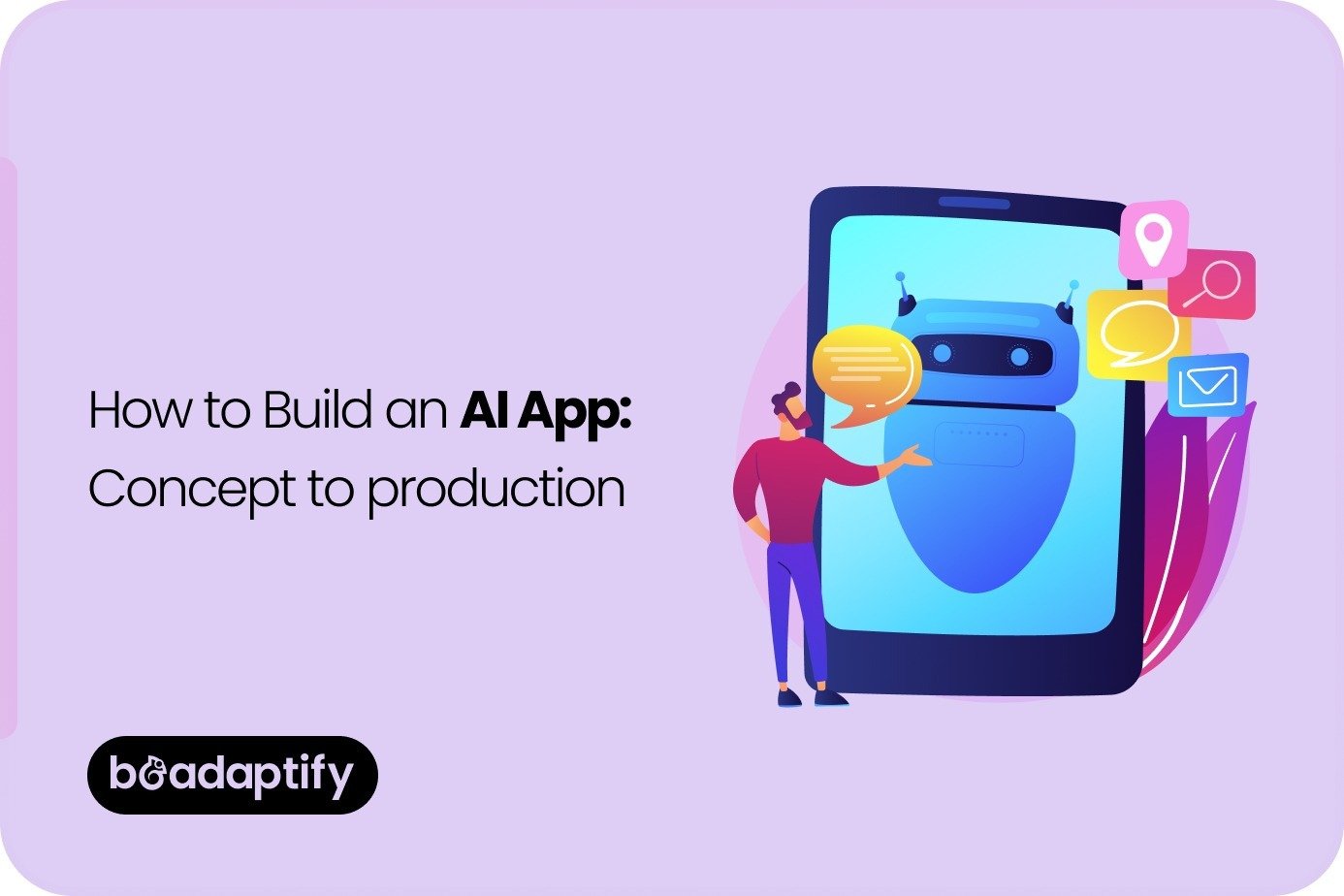
Artificial intelligence is no longer being treated as an experimental layer added to software at the end of product development. In 2026, AI apps are being designed as purposeful digital products where intelligence is expected to shape the experience from the beginning. Instead of asking whether AI should be used, businesses are increasingly asking how it should be used, where it should be placed in the workflow, what data it should rely on, how it should be evaluated, and what outcomes it should improve.
This shift matters because user expectations have changed. AI is no longer being valued only for novelty. It is being judged by whether useful work is reduced, whether decisions are improved, whether repetitive effort is lowered, and whether outcomes become faster, more accurate, or more personalized. If those benefits are not being delivered, the product is often viewed as a weak implementation rather than a meaningful innovation.
That is why building an AI app in 2026 requires more than model access. It requires product strategy, architecture planning, data design, workflow thinking, evaluation discipline, and strong usability. A successful AI application is not created by connecting a model to a chat interface and calling it complete. It is created by defining a real business problem, selecting the right interaction pattern, designing the supporting system around that pattern, and then refining the application through testing and production feedback.
This guide explains how an AI app should be created in 2026, including the strategy behind successful products, the full development process, and practical project examples that show how AI apps are being built in real business environments.
What Is an AI App?
An AI app is a software product in which artificial intelligence is used to assist, automate, generate, classify, predict, retrieve, recommend, or orchestrate tasks within the user experience. The app may be mobile-first, web-based, enterprise-focused, customer-facing, or multi-platform. What makes it an AI app is not the interface alone, but the role intelligence plays inside the workflow.
In some applications, AI is used to generate content, summarize information, or answer user questions. In others, it is used to classify images, detect anomalies, forecast demand, recommend actions, extract structured data, or automate multi-step processes. In more advanced products, AI is being used in agent-like flows where tasks are broken into steps, tools are called, context is retrieved, and outcomes are produced with greater autonomy.
An AI app should therefore be thought of as a system rather than a single model call. It often includes:
- a user interface
- application logic
- model access
- retrieval or context systems
- data pipelines
- guardrails and permissions
- monitoring and evaluation layers
- analytics and feedback loops
The app itself is what users interact with. The model is only one part of what makes the product useful.
Why AI Apps Matter More in 2026
AI apps matter more in 2026 because businesses are under pressure to improve efficiency, user experience, and decision quality at the same time. Traditional software can capture data and support workflows, but AI-enabled products can increasingly interpret information, reduce manual effort, and surface actions more intelligently.
This matters in several contexts:
- support teams are being asked to respond faster
- operations teams are being asked to do more with fewer repetitive tasks
- healthcare teams are being asked to manage more information with better visibility
- field teams are being asked to act with less delay
- customers are expecting more personalized and responsive digital experiences
- enterprise buyers are looking for measurable productivity rather than feature volume alone
AI is being used in this environment because it can help convert large amounts of information into usable outputs. When combined with good product design, it can reduce friction across the workflow instead of simply adding another layer of complexity.
At the same time, AI app creation matters more because the barrier to experimentation has been lowered while the standard for production quality has risen. It is easier than ever to prototype an AI feature, but much harder to launch an AI product that users trust, operations teams can maintain, and businesses can scale.
The Most Important Strategic Question Before You Build
Before any design or development begins, one question should be answered clearly:
What job should the AI perform that would be meaningfully better than a non-AI alternative?
This question matters because many weak AI apps are built around technology enthusiasm rather than product value. If the AI does not improve speed, clarity, personalization, automation, or decision support in a measurable way, it often becomes a feature that creates cost without creating durable benefit.
A strong AI app strategy usually begins with a use case, not a model. The business problem should be defined first. The AI pattern should be selected second.
Examples of valid strategic use cases may include:
- reducing support resolution time
- summarizing large internal knowledge sets
- extracting structured data from documents
- helping sales teams generate tailored follow-ups
- supporting clinicians with patient summaries
- assisting field workers with diagnostics and guided steps
- helping managers analyze operational trends faster
- enabling mobile users to ask natural-language questions about complex systems
Once the job is defined clearly, the right AI form can be chosen. That may be a chatbot, a retrieval-based assistant, a document processor, a classification engine, a recommendation system, or an agent workflow.
Core AI App Strategy Decisions
Several strategic decisions should be made before development begins.
1. Define the Primary User
An AI app should be designed around a specific user or user group. The following should be clarified:
- Who is the user?
- What are they trying to complete?
- Where does friction exist today?
- What decision or action is hard right now?
- What information is difficult to access or organize?
An enterprise tool for procurement managers should not be designed like a customer support assistant. A mobile patient-facing app should not be structured like a back-office analytics dashboard. The AI should be matched to the user’s reality.
2. Decide Whether the AI Should Generate, Retrieve, Classify, Predict, or Act
Not every AI app should be conversational. Some of the best AI products are not chat interfaces at all.
The main pattern should be chosen carefully:
- Generate when content creation or drafting is useful
- Retrieve when knowledge access is the main problem
- Classify when sorting, labeling, or triaging is needed
- Predict when forecasting or risk scoring is required
- Act when workflows can be orchestrated with structured autonomy
This choice affects cost, architecture, evaluation, and product design.
3. Decide How Much Autonomy Is Appropriate
Some AI apps only provide suggestions. Others complete parts of the workflow automatically. The level of autonomy should be chosen based on risk and user trust.
For example:
- an internal writing assistant may draft and suggest
- a support copilot may retrieve answers and propose responses
- a healthcare assistant may summarize but not decide treatment
- a workflow agent may execute low-risk tasks under clear rules
The more autonomy that is introduced, the more important permissions, approval flows, auditability, and guardrails become.
4. Define Success Metrics Before Development
Success should not be defined vaguely. It should be tied to outcomes such as:
- faster response time
- reduced manual effort
- improved task completion
- better data extraction accuracy
- lower support escalations
- higher conversion or engagement
- stronger retention
- improved employee productivity
If these measures are not defined early, the AI app may be launched without a clear way to judge whether it is actually working.
The AI App Development Process in 2026
Stage 1: Discovery and Opportunity Mapping
The first stage should focus on understanding the workflow deeply. This is where user interviews, operational analysis, pain-point mapping, and business goal alignment should happen.
During this stage, the following should be clarified:
- primary users
- target workflows
- high-friction moments
- available data
- security and compliance needs
- integration requirements
- expected output formats
- business KPIs
If discovery is skipped, the app is often built around assumptions instead of actual user need.
Stage 2: AI Use-Case Design
Once the workflow is understood, the AI use case should be narrowed into a practical application pattern.
The following decisions should be made here:
- Will the app use retrieval, generation, prediction, or agents?
- Will it rely on enterprise knowledge or public data?
- Will it operate synchronously or in background workflows?
- What should the user see as output?
- What should be blocked, reviewed, or escalated?
- Where should human oversight remain mandatory?
Stage 3: Data and Knowledge Design
AI apps depend heavily on the quality of their data and context.
This stage usually includes:
- identifying source systems
- cleaning structured or unstructured data
- defining retrieval logic
- organizing knowledge bases
- deciding update frequency
- mapping metadata
- setting permissions and boundaries
- deciding what should and should not be accessible to the model
If the app depends on company documents, internal policies, product knowledge, or customer records, those inputs must be organized carefully. Poor context usually leads to weak outputs.
Stage 4: UX and Interface Planning
The user interface should be designed around what the AI is actually helping with.
This means the following should be defined:
- how users start the interaction
- where AI appears in the workflow
- how outputs are shown
- how citations, references, or source cues are displayed
- how users retry, refine, or reject outputs
- how feedback is collected
- how confidence and limitations are communicated
- how manual override is handled
This is where design & development services matter greatly. AI products can feel either powerful or frustrating depending on how well the interaction is structured. A good answer in a bad interface often still feels like a bad product.
Stage 5: Core Architecture and Backend Development
The AI app should then be built as a system rather than just a prompt.
The architecture may include:
- frontend application layer
- backend orchestration layer
- model APIs
- retrieval systems
- vector or search infrastructure
- access control
- logging and monitoring
- analytics
- tool connectors
- notification or workflow engines
If the product is mobile-first, mobile app development services may be needed not only for UI delivery, but also for offline behavior, authentication handling, push notifications, and mobile-appropriate interaction patterns.
Stage 6: Prompt, Tool, and Workflow Design
This stage is where much of the actual AI behavior is shaped.
It may include:
- system prompts
- task instructions
- prompt templates
- function or tool-calling logic
- retrieval prompting
- fallback patterns
- refusal behavior
- answer formatting
- escalation logic
If the app includes agents, task sequencing and tool boundaries should be planned carefully. The system should know what it may do, what it may not do, and when a human or another system should be involved.
Stage 7: Evaluation and Testing
AI apps should not be tested like traditional deterministic software alone. Because outputs can vary, evaluation must be handled more deliberately.
Evaluation usually includes:
- accuracy testing
- relevance testing
- hallucination checks
- policy adherence checks
- task completion quality
- latency benchmarks
- cost monitoring
- red-team or adversarial testing
- human review scoring
- production monitoring plans
This stage is extremely important in 2026. Weak eval discipline is one of the biggest reasons AI apps fail after launch.
Stage 8: Pilot Release and Feedback Loop
A limited launch is usually better than an unrestricted release. The app should first be tested with a narrower user group, selected workflows, or a defined business unit.
This helps validate:
- real usage patterns
- user trust
- prompt quality
- retrieval success
- support volume
- improvement opportunities
- ROI assumptions
After that, refinement should happen before wider rollout.
Stage 9: Production Monitoring and Iteration
An AI app should not be treated as complete after deployment. Ongoing monitoring is critical.
What should be monitored often includes:
- model output quality
- failure patterns
- user feedback
- drift in knowledge quality
- latency
- API cost
- agent errors
- escalation frequency
- policy violations
- business impact metrics
The strongest AI apps in 2026 are being built as continuously improving products, not static launches.
Real Project Examples of AI Apps
Below are practical project examples that reflect the kinds of AI apps being built in 2026.
Example 1: Customer Support Knowledge Assistant
A customer support AI app may be built to help support agents retrieve accurate answers across product docs, policy files, troubleshooting guides, and ticket history.
Typical strategy
The main problem being solved is slow resolution caused by scattered knowledge and inconsistent answers.
Main features
- retrieval-based answer generation
- internal documentation search
- draft response suggestions
- citation display
- escalation recommendations
- ticket summarization
Business value
Resolution time may be reduced, onboarding for new agents may become easier, and support consistency may improve.
This type of project is often one of the best early AI app opportunities because the workflow is clear and the value can be measured.
Example 2: Healthcare Patient Summary App
A healthcare-focused AI app may be built to summarize patient histories, visit notes, medications, and recent changes for care teams.
Typical strategy
The main problem being solved is information overload and delayed visibility into patient context.
Main features
- visit summarization
- timeline view of major events
- medication extraction
- risk flags for review
- clinician-facing dashboard
- mobile access for approved users
Business value
Clinician preparation time may be reduced and key patient context may become easier to review quickly.
In this kind of project, privacy, permissions, and human oversight are especially important.
Example 3: Sales Enablement AI App
A sales AI app may be built to help reps prepare for calls, summarize accounts, draft outreach, and identify next-best actions.
Typical strategy
The main problem being solved is fragmented customer data and slow preparation time.
Main features
- CRM summarization
- meeting prep briefs
- follow-up draft generation
- opportunity risk scoring
- account history synthesis
- mobile access for field sales
Business value
Reps may respond faster, create more tailored outreach, and spend less time assembling context manually.
Example 4: Field Service Diagnostic Assistant
A field service AI app may be built to help technicians troubleshoot equipment in the field using manuals, service logs, and diagnostic steps.
Typical strategy
The main problem being solved is delay in identifying the next action when issues occur on site.
Main features
- guided troubleshooting
- equipment history retrieval
- step-by-step repair suggestions
- parts reference
- voice input
- offline-friendly mobile interface
Business value
Repair time may be reduced, knowledge transfer may improve, and less experienced staff may operate more effectively in the field.
This is a strong use case for mobile app development services because the interaction often happens in real-world, time-sensitive settings.
Example 5: Procurement and Document Extraction App
A procurement AI app may be built to process vendor documents, extract structured fields, classify invoices or purchase requests, and support approval workflows.
Typical strategy
The main problem being solved is repetitive document review and slow structured data entry.
Main features
- OCR and document parsing
- data extraction
- anomaly flagging
- vendor summarization
- approval support
- audit logs
Business value
Manual data entry may be reduced, approval cycles may speed up, and visibility into vendor records may improve.
Features That Strong AI Apps Usually Need
While each product differs, successful AI apps often include a set of recurring support features.
Human feedback controls
Users should be able to approve, reject, or refine outputs.
Source visibility
Answers should often be grounded in documents, citations, or clear references when accuracy matters.
Role-based access
Not every user should see the same data or be able to trigger the same actions.
Logging and auditability
High-value or regulated workflows often require traceability.
Guardrails and policy rules
The system should know what behavior is allowed and what should be blocked.
Analytics and quality dashboards
Business teams should be able to monitor usage and performance.
Mobile-appropriate interactions
If the app is used in the field or on the go, interfaces should be designed for small screens and fast actions.
Cost Factors in AI App Development
The exact cost depends on complexity, but several variables usually shape it most.
Major cost drivers
- app type and user roles
- number of integrations
- retrieval or knowledge complexity
- mobile + web scope
- workflow depth
- autonomy level
- evaluation and guardrail needs
- UI/UX sophistication
- infrastructure scale
- monitoring and support requirements
A focused internal assistant will usually cost less than a full multi-role AI platform with enterprise integrations and mobile deployment.
Common Mistakes to Avoid
Several mistakes are often made when AI apps are built too quickly.
Building around the model instead of the workflow
If the product exists only to showcase AI, it often lacks durable value.
Skipping evaluation design
Without evals, quality problems are usually found too late.
Ignoring UX
Even a strong model can feel weak inside a confusing interface.
Using poor source data
Weak retrieval and weak content structure often lead to poor app performance.
Adding too much autonomy too soon
Low-risk support should usually be introduced before high-risk automation.
Treating launch as the finish line
AI apps require iteration, monitoring, and refinement after release.
Why Businesses Trust Beadaptify for AI App Development?
Creating a successful AI app requires much more than adding an AI model to a software product. It requires a clear product strategy, a strong understanding of user workflows, thoughtful UX planning, scalable architecture, and careful attention to quality, security, and long-term performance. At Beadaptify, AI-powered applications are built with a focus on practical value, usability, and business alignment. As an experienced software development company, we help businesses turn AI ideas into functional digital products that support automation, decision-making, and better user experiences.
Our enterprise software development services are designed to support product discovery, architecture planning, interface design, development, testing, and post-launch improvement. Through strong design & development services and scalable mobile app development services, we ensure that AI apps are not only technically capable but also intuitive, reliable, and ready for real-world adoption.

Final Thoughts
Creating an AI app in 2026 requires much more than connecting a model to a product idea. It requires clear strategy, the right AI pattern, well-structured data, thoughtful workflow design, usable interfaces, strong evaluation, and continuous monitoring after launch.
The most successful AI apps are not being built around novelty. They are being built around usefulness. They solve real workflow problems, reduce manual effort, improve clarity, and support better decisions. Whether the goal is support automation, clinical visibility, sales enablement, field assistance, or document intelligence, the same principle holds true: the AI must serve the product, not replace product thinking.
That is why many businesses now work with Beadaptify, an experienced enterprise software development company, rely on structured software development services, when AI is being introduced into customer-facing or enterprise software. In 2026, a great AI app is not defined by how advanced the model sounds. It is defined by how well the product turns intelligence into dependable, usable value.
FAQs on Build an AI App
How do you start building an AI app?
AI app development usually starts by defining the business problem, identifying the target users, selecting the right AI use case, and mapping how the intelligence should fit into the product experience.
What is the difference between a normal app and an AI app?
A normal app usually follows fixed logic and pre-defined workflows, while an AI app can interpret data, generate outputs, make predictions, retrieve knowledge, or automate parts of a process more dynamically.
What technologies are used to create an AI app?
AI apps are often built using a combination of frontend and backend development, cloud infrastructure, model APIs, data pipelines, retrieval systems, analytics, and testing frameworks.
How much does it cost to build an AI app?
The cost depends on the complexity of the use case, number of integrations, data requirements, interface scope, security needs, and whether the app is web-based, mobile-first, or enterprise-grade.
Why are design and workflow planning important in AI apps?
Strong design and workflow planning are important because even powerful AI features can feel confusing or unreliable if the interface, outputs, and user controls are not structured clearly.