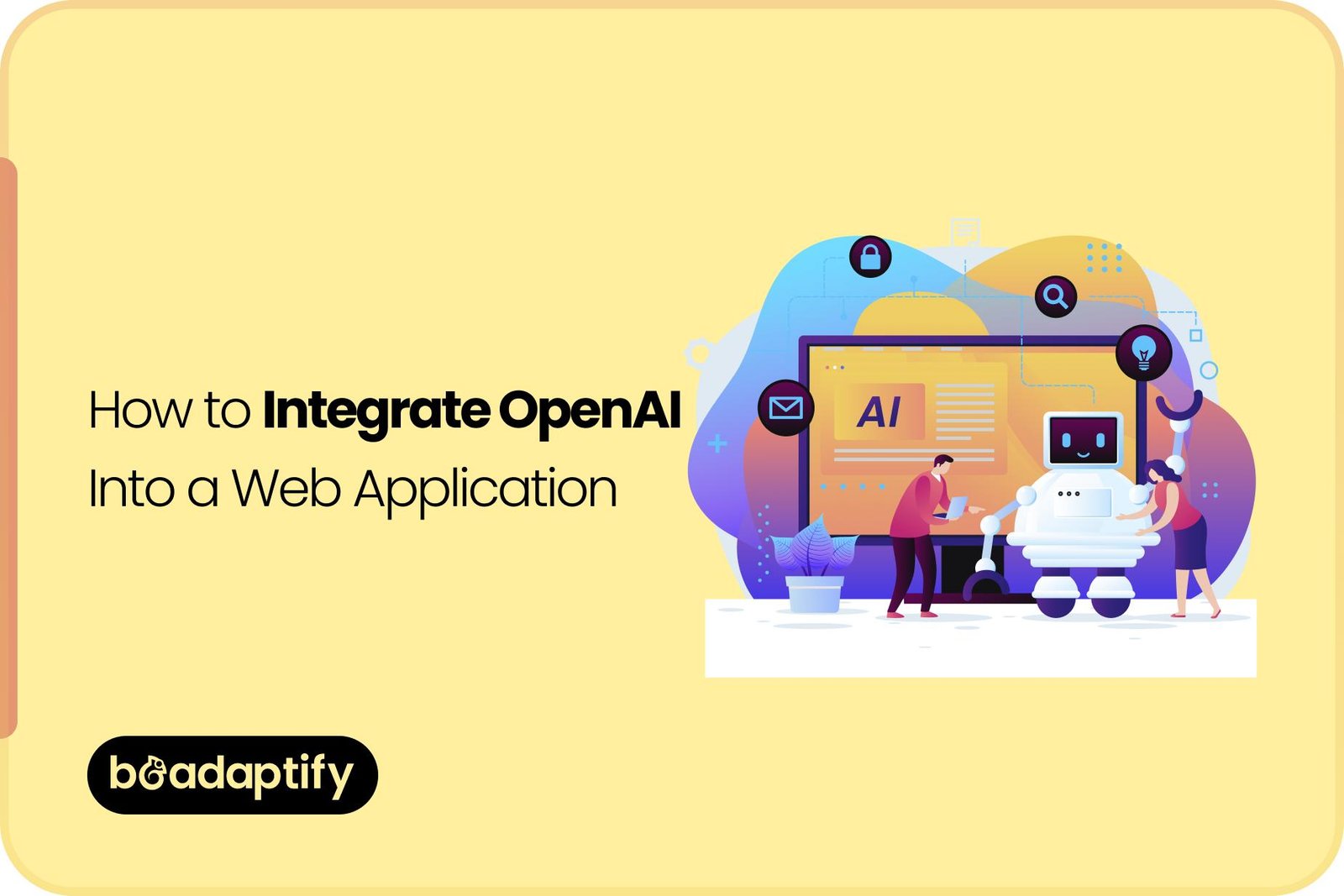
Artificial intelligence is increasingly being integrated into web applications to make digital experiences more intelligent, responsive, and personalized. Among the technologies being adopted, OpenAI-powered capabilities are being used to add conversational interfaces, content generation, document analysis, intelligent search, recommendations, automation, and other AI-driven functions to modern web products.
However, successful AI integration involves more than connecting an API to a website. The right architecture, security controls, user experience, data flow, model selection, testing strategy, and cost-management approach need to be considered before an AI feature is introduced into production.
When OpenAI is integrated properly, a conventional web application can be transformed into a more intelligent product. Customer questions can be answered automatically, repetitive workflows can be accelerated, large amounts of information can be processed, and users can be provided with personalized assistance without requiring every interaction to be handled manually.
For businesses planning AI-powered products, the integration can also be approached as part of a broader digital transformation strategy. With the right software product development services, web development services, and design & development services, AI capabilities can be incorporated into an application without compromising usability, scalability, or maintainability.
This guide explains how OpenAI can be integrated into a web application, which benefits can be achieved, which use cases can be supported, what technical components are required, and what best practices should be followed.
What Is OpenAI Integration in a Web Application?
OpenAI integration refers to the process of connecting AI capabilities provided through OpenAI technologies with a web application. Instead of functioning as a standalone AI tool, the model is incorporated into an application’s existing workflows, interface, database, and business logic. For example, an e-commerce platform could be enhanced with an AI shopping assistant. A customer could ask questions about products, receive recommendations, compare options, or get assistance with an order.
Similarly, a SaaS application could be enhanced with AI-generated reports, intelligent search, automated summaries, or an AI assistant capable of helping users complete tasks.
In a typical implementation, the following flow is established:
User → Web Interface → Application Backend → OpenAI API → Backend Processing → Web Application → User
The frontend is responsible for collecting user input and displaying the response. The backend is normally responsible for authentication, API communication, business logic, security, data processing, logging, and response handling.
This separation is important because sensitive API credentials should not be exposed directly within browser-side code.
Why Is OpenAI Being Integrated Into Web Applications?
Traditional web applications have generally relied on predefined rules, database queries, forms, and manually configured workflows. Although these approaches remain valuable, they can become limiting when natural-language interaction or large-scale information processing is required.
AI can be introduced to make applications more flexible.
Instead of requiring users to navigate multiple pages to find information, an AI assistant can be provided. Instead of manually summarizing documents, automated summaries can be generated. Instead of requiring customer service teams to answer repetitive questions, common inquiries can be handled automatically.
Several areas can therefore be improved:
- Customer support
- Content creation
- Internal knowledge access
- Document processing
- Data analysis
- Search
- Personalization
- Workflow automation
- Lead qualification
- User engagement
- Productivity
The value is not created simply by adding AI. It is created when AI is connected to a meaningful business workflow.
Key Benefits of Integrating OpenAI Into a Web Application
1. Improved User Experience
A more natural interaction model can be created through conversational AI. Users can ask questions using ordinary language instead of navigating complex menus or searching through multiple pages.
For example, instead of searching through a knowledge base for a billing policy, a user could ask:
“How can my subscription be upgraded?”
An AI assistant could provide a contextual answer based on approved information. This type of interaction can make an application easier to use, particularly when large amounts of information are involved.
2. Intelligent Customer Support
Customer support can be one of the most valuable areas for AI integration. Frequently asked questions can be answered automatically, while more complicated cases can be routed to human representatives.
AI-powered support can assist with:
- Product questions
- Account information
- Troubleshooting
- Order-related questions
- Service explanations
- Documentation
- Basic technical support
- Frequently requested policies
Human agents can therefore spend more time handling complex issues instead of repeatedly answering the same questions.
3. Increased Operational Efficiency
Repetitive tasks can consume substantial employee time. AI can be integrated into internal applications to assist with tasks such as:
- Email drafting
- Meeting summaries
- Document summarization
- Data extraction
- Report generation
- Classification
- Content transformation
- Information retrieval
The objective should not necessarily be to replace employees. Instead, repetitive work can be reduced so that employees can focus on activities requiring judgment, creativity, or human interaction.
4. Personalized Experiences
AI can be used to generate more personalized interactions. Depending on the application’s architecture and available data, recommendations, responses, content, or workflows can be adjusted based on user context.
For example, an educational platform could provide customized explanations based on a student’s selected topic. A productivity platform could generate task summaries based on a user’s project information. Personalization can increase engagement when it is implemented carefully and when appropriate privacy controls are maintained.
5. Faster Content Generation
Content-generation capabilities can be integrated directly into business applications.
For example, users could be allowed to generate:
- Product descriptions
- Marketing copy
- Email drafts
- Blog outlines
- Social media posts
- Summaries
- Reports
- Product documentation
Instead of moving information between multiple applications, content-generation functionality can be built directly into the existing workflow.
6. Better Information Discovery
Large databases and knowledge repositories can be difficult to navigate. AI-powered search can allow users to ask questions in natural language and receive more contextual answers.
This can be particularly valuable for:
- Enterprise knowledge bases
- Customer support portals
- Legal document platforms
- Healthcare information systems
- Educational applications
- Research platforms
- SaaS products
When retrieval-augmented generation is used, responses can be grounded in relevant application data rather than relying only on the model’s general knowledge.
7. Scalable Automation
AI functionality can be incorporated into automated workflows. For example, incoming customer messages could be categorized automatically. Support tickets could be prioritized. Documents could be summarized before being reviewed by employees. Automation can therefore be extended beyond simple rules.
How to Integrate OpenAI Into a Web Application
A successful implementation should be planned in stages rather than being treated as a simple API connection.
Step 1: Define the AI Use Case
The first step should be the identification of a specific business problem. Instead of beginning with the question, “How can OpenAI be added to our website?”, a more useful question would be:
“Which user or business problem can be improved through AI?”
Potential objectives could include:
- Reducing support workload
- Improving search
- Automating content creation
- Summarizing documents
- Increasing conversions
- Improving productivity
- Providing intelligent recommendations
A clearly defined objective makes technical decisions easier.
Step 2: Select the Appropriate OpenAI Capability
The required AI capability should then be identified. Different application requirements may require different approaches. A conversational assistant, document-processing workflow, structured data extraction feature, and content-generation tool may not require identical implementation strategies.
Model capabilities, response quality, latency, context requirements, expected traffic, and cost should all be evaluated. The smallest suitable solution should generally be selected first.
Step 3: Design the Application Architecture
A secure architecture should be created before implementation begins. A typical architecture may include:
Frontend
The web interface is used to collect user requests and display AI-generated responses.
Backend
The backend controls authentication, business logic, OpenAI API requests, data access, validation, logging, and security.
AI Layer
The OpenAI API is used to process prompts and generate responses.
Database
Application data, user information, conversation history, documents, configurations, or other structured information may be stored here.
Knowledge or Retrieval Layer
For applications requiring organization-specific information, a retrieval system may be added to locate relevant information before a response is generated.
Step 4: Create a Secure Backend Integration
The OpenAI API should generally be accessed from the server side.
The API key should never be hard-coded into publicly accessible frontend JavaScript.
A simplified architecture can be represented as:
User
  ↓
Web Application
  ↓
Backend API
  ↓
Validation & Business Logic
  ↓
OpenAI API
  ↓
Response Processing
  ↓
Web Application
  ↓
User
This architecture allows the backend to control what information is sent to the AI service and how responses are processed before being displayed.
Step 5: Configure the AI Request
The backend can send an appropriate request containing the user’s input and any required contextual information. Depending on the use case, additional instructions may be supplied to establish:
- The desired response format
- The application’s tone
- Business rules
- Output limitations
- Relevant context
- Safety requirements
For structured workflows, responses can also be designed to follow predictable formats so they can be processed by the application.
Step 6: Add Application Context
A generic AI model may not know the private information stored inside a company’s application. For example, an internal HR application may contain company policies that should be referenced when questions are answered.
A common approach is to retrieve relevant information from the company’s knowledge base and provide that information as context.
This approach is often associated with Retrieval-Augmented Generation (RAG).
A simplified RAG workflow looks like this:
User Question → Search Knowledge Base → Retrieve Relevant Information → Send Context to Model → Generate Response
This can make responses more relevant and grounded in business-specific information.
Step 7: Implement Authentication and Authorization
AI features should respect the application’s existing access controls. A user should not be allowed to ask an AI assistant for information that the user would not otherwise be authorized to access.
For example, if a business application contains separate customer, employee, and administrator data, the AI layer should not bypass those permissions. Authentication and authorization should therefore be implemented before sensitive information is passed into AI workflows.
Step 8: Add Input and Output Validation
AI responses should not automatically be trusted as application commands. Input validation can be used to control what users are allowed to submit. Output validation can be used to ensure that generated information meets application requirements.
Additional controls can be added for:
- Unsafe requests
- Sensitive information
- Unexpected output
- Unsupported actions
- Prompt injection attempts
- Invalid structured responses
Step 9: Design the User Interface
AI functionality should be integrated into the user experience instead of being added as an isolated feature.
The interface should clearly communicate:
- What the AI can do
- What information it can access
- What limitations exist
- When a response is being generated
- How users can correct or refine a response
Good design & development services can be particularly valuable here because the usability of an AI feature can significantly affect adoption.
Step 10: Test Before Production
Testing should be performed across both technical and user-experience dimensions.
Testing should include:
- Accuracy
- Response quality
- Latency
- Security
- Reliability
- Scalability
- Error handling
- Prompt injection resistance
- Data privacy
- Unexpected user inputs
AI applications should be tested with real-world scenarios rather than only ideal prompts.
Popular OpenAI Use Cases for Web Applications
AI Chatbots
AI chatbots are among the most common applications.
A chatbot can be integrated into:
- Business websites
- SaaS applications
- Customer portals
- E-commerce platforms
- Educational systems
- Healthcare portals
- Internal business platforms
Support can be provided 24/7 for common questions, while complex cases can be escalated to human teams.
AI-Powered Search
Traditional keyword search can be enhanced with natural-language search. Users can ask questions conversationally instead of trying to determine the exact keywords stored in a database. For large information repositories, this can significantly improve discoverability.
Document Summarization
Long documents can be difficult and time-consuming to review.
AI can be integrated to generate summaries of:
- Reports
- Contracts
- Research papers
- Meeting transcripts
- Business documents
- Support tickets
- Internal documentation
Human review can still be maintained where accuracy is critical.
Content Generation
Content creation tools can be embedded into CMS platforms, marketing dashboards, SaaS applications, and e-commerce systems. For example, an administrator could provide a few product details and have a draft description generated automatically.
AI Writing Assistants
Writing assistants can be integrated into productivity applications.
Suggestions can be provided for:
- Rewriting
- Grammar improvement
- Summarization
- Tone adjustment
- Email drafting
- Idea generation
Lead Qualification
AI can be connected to lead-generation workflows.
Incoming conversations can be analyzed to identify:
- Customer requirements
- Product interest
- Budget indicators
- Buying intent
- Frequently requested features
Qualified leads can then be passed to sales teams.
Recommendation Systems
AI can be incorporated into applications where recommendations are valuable.
Examples include:
- Product recommendations
- Learning resources
- Content suggestions
- Service recommendations
- Feature discovery
The quality of recommendations will depend heavily on the data and logic used by the application.
Automated Data Extraction
Unstructured text can be converted into structured information. For example, information from documents, forms, or messages can be extracted and transformed into fields that can be stored within a database.
This can reduce manual data-entry requirements.
Internal Knowledge Assistants
Employees can be provided with AI assistants connected to approved internal documentation. Questions about company policies, procedures, product information, or internal resources can be answered through a conversational interface.
Customer Feedback Analysis
Large amounts of customer feedback can be analyzed automatically.
Feedback can be classified according to:
- Sentiment
- Topic
- Product area
- Complaint type
- Feature request
- Urgency
Insights can then be used by customer experience and product teams.
OpenAI Integration With Different Types of Web Applications
SaaS Applications
AI can be incorporated into SaaS products to provide intelligent assistants, automation, recommendations, reporting, and content generation. AI features can also become premium functionality that differentiates a SaaS product from competing platforms.
E-Commerce Applications
E-commerce websites can be enhanced with AI-powered shopping assistants. Products can be recommended based on customer requirements, questions can be answered conversationally, and product information can be summarized.
Healthcare Applications
AI can assist with administrative workflows, document summarization, information retrieval, and patient-facing communication. However, healthcare applications require additional consideration for privacy, security, compliance, accuracy, and human oversight.
Education Platforms
Educational web applications can use AI for tutoring, explanations, content generation, quiz creation, study assistance, and personalized learning experiences.
Financial Applications
AI can be used for customer support, document processing, financial information retrieval, and internal productivity workflows. Because financial information can be highly sensitive, strong security and validation controls should be maintained.
Real Estate Platforms
Real estate applications can use AI to summarize property information, answer questions, generate descriptions, and assist users in finding suitable listings.
Technology Stack for OpenAI Web Application Integration
The technology stack will depend on the application’s requirements.
Frontend
Common frontend technologies can include:
- React
- Next.js
- Vue
- Angular
- HTML/CSS/JavaScript
The frontend should be designed to provide a responsive and intuitive AI interaction experience.
Backend
AI integration can be implemented through backend technologies such as:
- Node.js
- Python
- Java
- PHP
- .NET
The backend is responsible for securely managing API communication and application logic.
Database
Depending on the application, databases such as PostgreSQL, MySQL, MongoDB, or other data stores may be used.
Vector Database
When semantic search or RAG is required, a vector database or vector-search capability may be introduced.
Cloud Infrastructure
Cloud infrastructure can be used to support scalability, monitoring, deployment, and availability. The final architecture should be based on traffic, security, compliance, performance, and business requirements rather than technology trends alone.
OpenAI Integration: API vs Custom AI Workflow
A simple API integration may be sufficient for straightforward use cases. For example, an application that generates marketing copy from a user’s input may only require a relatively simple backend workflow.
A more advanced application may require:
- Retrieval systems
- Multiple AI steps
- Structured outputs
- Tool calling
- Business rules
- User-specific context
- Database access
- External API integrations
- Human approval workflows
The complexity should therefore be determined by the business workflow rather than by the AI model alone.
Cost Factors for OpenAI Integration
The cost of integrating OpenAI into a web application can vary considerably.
The following factors can influence the total investment:
Development Complexity
A basic AI feature generally requires less development than an AI-powered business platform.
Number of Features
Chat, search, summarization, recommendations, analytics, automation, and administrative controls can increase development requirements.
Existing Application
If AI is being added to an existing application, the current architecture may need to be modified.
Integrations
CRM systems, payment systems, databases, communication tools, analytics platforms, and other third-party services can increase development complexity.
RAG Implementation
Applications requiring private knowledge retrieval may require additional infrastructure and development.
Security Requirements
Sensitive applications may require stronger authentication, authorization, monitoring, encryption, auditing, and compliance processes.
User Volume
Higher traffic can increase infrastructure and AI usage costs.
Maintenance
AI applications require ongoing monitoring because model behavior, application requirements, prompts, data, and user expectations can change. For accurate budgeting, AI usage costs should be considered separately from development costs.
Best Practices for OpenAI Integration
Start With One High-Value Use Case
A focused initial implementation is generally easier to test and optimize. A business should avoid adding AI everywhere simply because the technology is available.
Keep API Keys Secure
Credentials should be stored securely on the server side and should never be exposed through client-side code.
Protect Sensitive Data
Only the information required for a specific AI workflow should be provided. Data minimization can reduce privacy and security risks.
Maintain Human Oversight
AI should not necessarily be given unrestricted authority over critical business decisions. Human review can be maintained for sensitive workflows.
Monitor AI Responses
Response quality should be continuously evaluated.
Metrics can be established around:
- Accuracy
- User satisfaction
- Response time
- Escalation rate
- Error rate
- Task completion
Design for Failure
AI services can experience latency, outages, rate limits, or unexpected responses. Fallback workflows should therefore be provided.
Control Costs
Token usage, request frequency, context size, caching opportunities, and model selection should be monitored.
Test Against Adversarial Inputs
Prompt injection and malicious inputs should be included in security testing.
Keep the User Informed
Users should understand when they are interacting with AI and when a human is involved.
Common Mistakes to Avoid
Treating AI as a Standalone Feature
AI should be connected to an actual business objective.
Exposing API Credentials
API keys should never be placed directly into browser-side code.
Sending Excessive Data
Unnecessary application data should not be included in AI requests.
Ignoring Hallucinations
AI-generated responses can contain inaccurate information. Validation and grounding should therefore be considered where accuracy matters.
Skipping User Experience Design
An accurate AI model can still create a poor product experience if the interface is confusing.
Ignoring Costs
AI usage can increase as application traffic grows. Cost monitoring should therefore be incorporated from the beginning.
Building Too Much Too Early
An advanced AI architecture may not be necessary for a simple use case. A phased implementation can reduce risk and allow the product to be improved based on real user feedback.
Why Professional Web Development Services Matter
OpenAI integration is only one component of a successful AI-powered web product. The surrounding application needs to be designed and developed correctly. Professional web development services can be used to establish secure backend architecture, scalable APIs, database integration, authentication, monitoring, and responsive frontend experiences.
Similarly, experienced web development solutions can be used to connect AI capabilities with existing business systems instead of treating the AI layer as an isolated technology. For businesses building a new product, software product development services can provide broader support across strategy, architecture, UI/UX, development, testing, deployment, and ongoing optimization.
This becomes particularly valuable when AI needs to interact with databases, user accounts, business workflows, and third-party platforms.
Why Choose Beadaptify for OpenAI Web Application Development?
When AI is being integrated into a web application, technical implementation and product strategy need to work together. Beadaptify brings these areas together through product-focused planning, modern architecture, user-centered design, and scalable development. From AI-powered interfaces and intelligent automation to API integrations, custom dashboards, secure backend development, and responsive web experiences, solutions can be designed around specific business requirements rather than generic AI functionality.
Through software product development solutions, web development solutions, and design & development services, Beadaptify can support the complete product lifecycle—from initial idea and UX planning to development, testing, deployment, and ongoing improvements. The focus can be placed on building AI functionality that is useful, maintainable, scalable, and aligned with measurable business objectives.
Future of OpenAI-Powered Web Applications
AI integration is expected to become increasingly embedded into everyday web experiences. Instead of AI being presented only as a chatbot, intelligent functionality can be integrated throughout an application.
For example, AI may be used to:
- Predict what users need next
- Automate repetitive workflows
- Understand natural-language requests
- Generate personalized content
- Analyze business information
- Assist employees
- Improve search
- Connect different systems
- Support decision-making
The most successful AI applications are likely to be those in which AI is integrated naturally into existing workflows. Rather than requiring users to learn a completely new AI tool, intelligent capabilities can be provided exactly where they are needed.
How to Build a Successful OpenAI-Powered Web Application
A successful AI web application should be built around five fundamental principles:
Business Value: The AI feature should solve a meaningful problem.
User Experience: The interaction should remain simple and intuitive.
Security: Sensitive information should be protected throughout the workflow.
Scalability: The architecture should be capable of supporting future growth.
Continuous Improvement: AI performance should be monitored and improved after launch.
These principles can help prevent AI from becoming an expensive feature that provides limited business value.
Conclusion
OpenAI integration can transform a conventional web application into a more intelligent, interactive, and automated digital product. Customer support can be improved, information can be accessed more naturally, content can be generated faster, repetitive processes can be automated, and personalized experiences can be created. However, successful implementation requires more than API integration. Architecture, security, data handling, user experience, model selection, testing, scalability, monitoring, and cost management all need to be considered.
For simple use cases, a straightforward API integration may be sufficient. For more advanced products, retrieval systems, business logic, structured workflows, authentication, databases, and custom AI experiences may be required. With the right software product development solutions, web development services, and design & development services, OpenAI capabilities can be transformed from an experimental technology into a practical business solution.

FAQs On Integrate OpenAI in Web App
Can OpenAI be integrated into an existing web application?
Yes. OpenAI functionality can generally be integrated into an existing web application through a backend API layer. The complexity will depend on the application’s architecture and the AI features being introduced.
How is OpenAI integrated into a website?
OpenAI is typically connected through an API from the application’s backend. The frontend collects user input, the backend processes the request and communicates with the AI service, and the generated response is then returned to the frontend.
Can OpenAI access my application’s database?
It can be connected to application data through a controlled backend workflow. Direct unrestricted database access should not be provided. Relevant information should be retrieved and passed through controlled application logic.
Can an OpenAI chatbot be added to an e-commerce website?
Yes. AI shopping assistants can be integrated into e-commerce applications to answer product questions, assist with discovery, provide recommendations, and support customers.
Is a backend required for OpenAI integration?
For most production applications, a backend is strongly recommended because API credentials, business logic, access controls, validation, and sensitive data handling should be managed securely on the server side.
Can OpenAI be integrated with a SaaS application?
Yes. SaaS applications can be enhanced with AI assistants, automated workflows, content generation, intelligent search, recommendations, summaries, and other capabilities.
What is RAG in an AI web application?
Retrieval-Augmented Generation, or RAG, is an approach in which relevant information is retrieved from a knowledge source and supplied to the AI model as context before a response is generated. It can be useful when responses need to be based on private or organization-specific information.