Artificial intelligence is increasingly being incorporated into business applications to automate repetitive work, improve decision-making, enhance customer experiences, and increase operational efficiency. However, AI adoption does not always require an entirely new software platform to be developed. In many cases, AI agents can be integrated directly into existing business software and workflows.
AI agents can be used to understand requests, retrieve information, make decisions, interact with connected systems, and complete multi-step tasks with limited human intervention. When they are integrated into existing software, business processes can be enhanced without requiring an business to replace its current technology infrastructure.
For businesses, this approach can be particularly valuable because existing applications may already contain important customer data, workflows, APIs, databases, and business rules. By introducing AI agents into these environments, intelligent capabilities can be added while the underlying software ecosystem is retained.
However, successful AI agent integration requires more than connecting an AI model to an application. Data access, security, APIs, user experience, permissions, monitoring, business logic, and human oversight must all be considered.
This guide explains how AI agents can be integrated into existing software, what architecture can be used, which challenges may be encountered, and how the integration process can be planned effectively.
What Are AI Agents?
AI agents are software systems that can be designed to perform tasks based on goals, instructions, available data, and connected tools.
Unlike traditional AI features that may only generate a response or classify information, AI agents can be configured to perform multiple steps toward the completion of a task.
For example, an AI agent integrated into a customer relationship management platform could be used to:
- Review customer information
- Analyze previous interactions
- Identify an issue
- Retrieve relevant information
- Create a support ticket
- Draft a response
- Update the CRM
- Notify an employee
The actions can be performed through connected tools and APIs while predefined permissions can be used to control what the agent is allowed to access or modify.
Why Should AI Agents Be Integrated Into Existing Software?
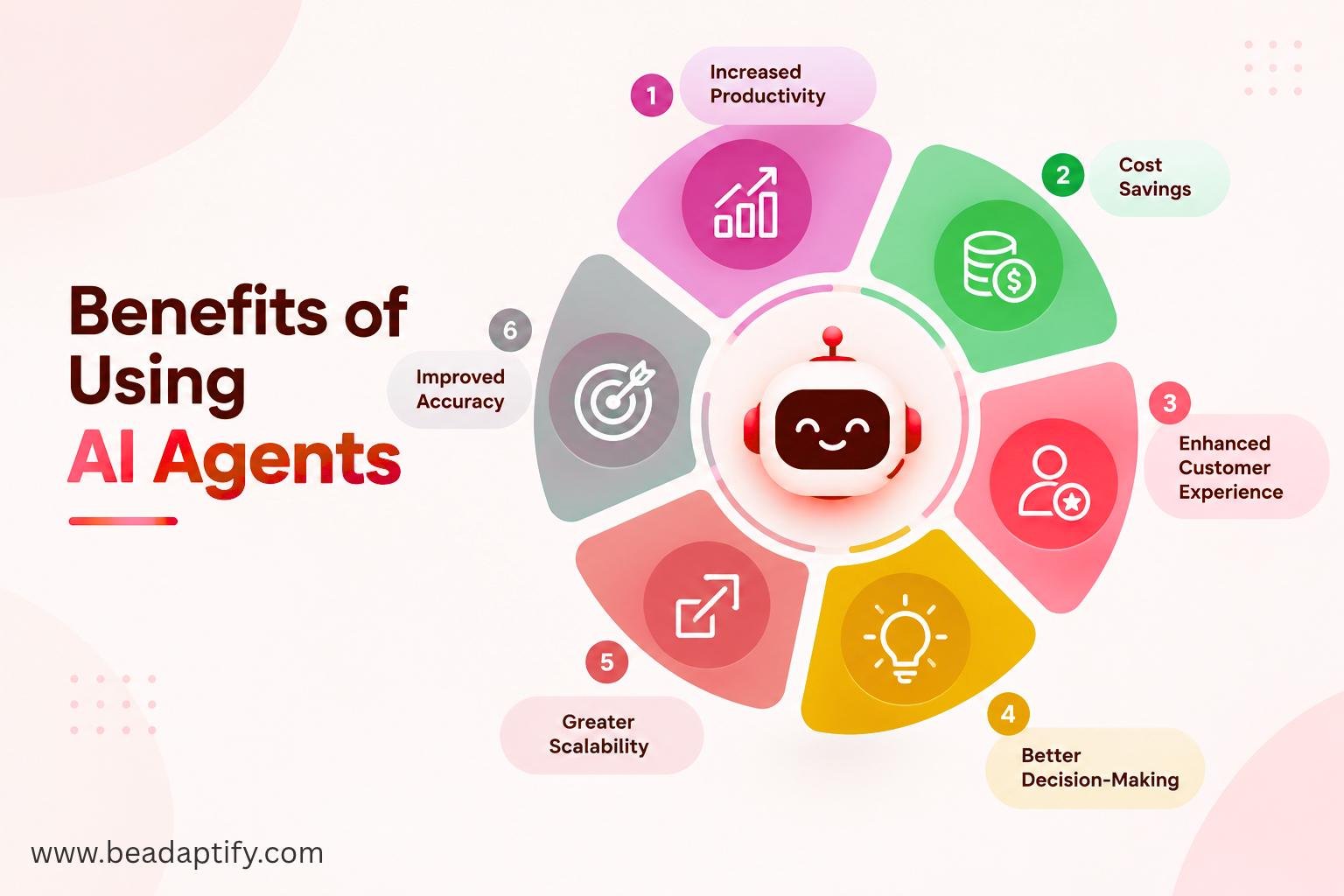
Replacing an existing software platform solely to introduce AI capabilities can be expensive, disruptive, and time-consuming. Integration can provide an alternative approach in which intelligent functionality is added to an established application.
Several benefits can be achieved.
Existing Workflows Can Be Preserved
Employees may already be familiar with existing applications and processes. By integrating AI into those systems, established workflows can be enhanced without requiring an entirely new platform to be adopted.
Business Data Can Be Utilized
Existing software often contains valuable customer, operational, financial, inventory, or transaction data. AI agents can be connected to authorized data sources so that more context-aware decisions can be supported.
Automation Can Be Expanded
Tasks that previously required manual intervention can be automated. Data entry, document processing, customer support, reporting, scheduling, and internal communication are examples of processes that can potentially be enhanced.
Development Investment Can Be Protected
Existing software represents a significant investment in development, infrastructure, training, and maintenance. AI integration allows that investment to be extended rather than discarded.
Common Ways AI Agents Can Be Integrated
AI agents can be integrated into existing applications in several ways depending on the businesses objectives.
1. AI Assistant Integration
An AI assistant can be embedded into an existing application through a chat interface or conversational panel.
For example, an employee using a business dashboard could ask:
- “Show this month’s sales performance.”
- “Find customers whose subscriptions are expiring.”
- “Summarize today’s support tickets.”
- “Create a report for the finance team.”
The AI agent can interpret the request and retrieve information from authorized systems.
2. Workflow Automation
AI agents can be incorporated into existing workflows to automate repetitive processes.
For example, when a customer submits a support request, an agent could be used to:
- Read the request.
- Identify the issue.
- Retrieve customer information.
- Search the knowledge base.
- Recommend a solution.
- Create or update a support ticket.
- Escalate the issue when required.
The workflow can be configured according to business rules and approval requirements.
3. API-Based Integration
APIs can be used as communication layers between AI agents and existing applications.
Through APIs, an agent can be provided with controlled access to functions such as:
- Customer records
- Inventory
- Orders
- Payments
- Appointments
- Reports
- Documents
- Employee information
Instead of allowing an AI model to access an entire database, specific tools and API endpoints can be exposed.
4. Database and Knowledge Integration
AI agents can also be connected to structured and unstructured enterprise information. Documents, policies, product information, manuals, contracts, FAQs, and internal knowledge can be indexed and made available through retrieval systems. This approach can help an agent generate responses using business-specific information rather than relying only on general model knowledge.
How Businesses Can Integrate AI Agents Into Existing Software
A structured implementation process should be followed to reduce technical and operational risks.
Step 1: Identify the Right Business Process
The first step should be the identification of a business process where AI can provide measurable value. Not every workflow should be automated.
Processes should ideally be selected where:
- Repetitive work is performed
- Large amounts of information must be processed
- Employees spend significant time searching for information
- Decisions are based on multiple data sources
- Customer interactions need to be handled at scale
- Manual data entry is frequently performed
The business problem should be defined before the AI technology is selected.
Step 2: Analyze the Existing Software Architecture
The existing software should be reviewed before integration work begins. The architecture, APIs, databases, authentication mechanisms, cloud infrastructure, third-party services, and business logic should be evaluated.
The following questions should be answered:
- Which systems need to be connected?
- Which APIs are already available?
- What data can be accessed?
- Which systems contain sensitive information?
- What authentication mechanisms are being used?
- Which business rules must be preserved?
- Where should the AI agent be positioned within the existing workflow?
This assessment can help determine the most appropriate integration architecture.
Step 3: Define the AI Agent’s Responsibilities
An AI agent should not be given unlimited responsibilities. Its scope should be clearly defined.
For example, a sales agent could be allowed to:
- Search customer records
- Summarize customer history
- Identify potential leads
- Draft emails
- Update CRM notes
However, financial transactions or account deletion could be restricted to human approval. Clearly defined responsibilities can reduce errors and improve security.
Step 4: Select the Appropriate AI Model
The AI model should be selected according to the specific task.
Different models may be suitable for different requirements involving:
- Text generation
- Document analysis
- Reasoning
- Classification
- Coding
- Speech
- Image processing
- Structured data extraction
Cost, response time, accuracy, context length, security, deployment requirements, and scalability should all be considered. A smaller model may be sufficient for simple classification tasks, while more advanced reasoning tasks may require a more capable model.
Step 5: Create a Tool-Calling Layer
One of the most important components of an AI agent architecture is the tool layer. Instead of directly controlling the entire software system, the agent should be provided with specific tools.
For example:
AI Agent
   ↓
Tool Layer
   ↓
APIs / Services
   ↓
Existing Business Software
A customer support agent could be provided with tools such as:
search_customerget_order_statuscreate_ticketupdate_ticketsend_notification
Each tool can be protected by authentication, authorization, validation, and business rules. This approach can make AI integration safer and easier to manage.
Step 6: Connect Business Data
AI agents become more useful when relevant business information can be retrieved at the right time.
Data can be obtained from:
- Databases
- CRM systems
- ERP systems
- Document repositories
- Cloud storage
- Knowledge bases
- APIs
- Internal applications
Retrieval-augmented generation can also be used when responses need to be grounded in enterprise information. The data access layer should be designed carefully so that only authorized information can be retrieved.
Step 7: Implement Authentication and Permissions
Security should be incorporated into the architecture from the beginning. An AI agent should not automatically receive the same permissions as an administrator. Role-based access control can be used to determine what the agent is allowed to view or modify.
For example:
Action |
AI Agent Access |
|---|---|
| View customer information | Allowed |
| Search product catalog | Allowed |
| Create support ticket | Allowed |
| Update customer notes | Conditional |
| Issue refund | Human approval |
| Delete customer account | Restricted |
This type of permission structure can significantly reduce the risk of unauthorized actions.
Step 8: Add Human Oversight
AI agents should not always be allowed to operate independently. Human-in-the-loop mechanisms can be introduced for high-risk or irreversible actions.
For example, an agent may prepare a refund request, but final approval can be required from an authorized employee. Similarly, an AI agent may draft a customer email while the employee is allowed to review and approve it before it is sent. Human oversight can therefore be used as a safety layer while still allowing automation to deliver efficiency improvements.
Step 9: Integrate the Agent Into the User Interface
The AI agent should be incorporated into the application experience rather than being treated as an isolated technical component. Professional UI/UX design services can be used to determine how users will interact with the agent.
Possible interface patterns include:
- AI chat panels
- Smart search
- AI-powered dashboards
- Inline recommendations
- Automated summaries
- Suggested actions
- Workflow assistants
- Voice interfaces
The interface should clearly communicate when an AI-generated recommendation is being provided and when a human approval is required.
Step 10: Test the AI Agent
AI systems should be tested differently from traditional software because their outputs may vary.
Testing should include:
- Functional testing
- API testing
- Security testing
- Prompt testing
- Accuracy testing
- Hallucination testing
- Permission testing
- Performance testing
- Load testing
- Failure recovery testing
The agent should also be tested against unexpected requests and incorrect inputs.
Step 11: Monitor Agent Performance
After deployment, performance should be continuously monitored.
Useful metrics can include:
- Task completion rate
- Response accuracy
- Human escalation rate
- Error rate
- API failures
- Response time
- Token usage
- Cost per task
- User satisfaction
Monitoring can help identify where the agent needs to be improved.
Step 12: Start With a Controlled Pilot
A full enterprise-wide deployment does not always need to be performed immediately. A limited pilot can first be introduced to a specific department, workflow, or user group.
For example, a customer support AI agent could initially be introduced for internal ticket summarization. After its performance has been evaluated, additional capabilities can gradually be introduced. This phased approach can reduce risk while allowing the business case to be validated.
Role of Software Product Development Services
AI agent integration often requires changes across several layers of an existing application. Backend services, APIs, databases, frontend interfaces, authentication, infrastructure, and monitoring systems may all need to be updated.
Professional software product development services can be used to manage these requirements through a coordinated development process. Instead of treating AI as an isolated feature, the complete software ecosystem can be evaluated and updated where necessary.
This can include:
- Product strategy
- Architecture planning
- AI integration
- API development
- Backend development
- Frontend development
- UI/UX design
- Cloud integration
- Security
- Testing
- Deployment
- Maintenance
How Software Product Development Solutions Support AI Integration
Modern software product development solutions can be structured around modular architecture so that AI capabilities can be added without significantly disrupting the existing application.
For example, an AI service can be introduced as a separate layer:
Existing Application
        ↓
   AI Integration Layer
        ↓
   Agent Orchestration
        ↓
 Tools / APIs / Data
        ↓
Existing Business Systems
This type of architecture can allow AI capabilities to be expanded gradually. Additional agents can later be introduced for customer support, sales, operations, finance, HR, or analytics without requiring the entire application to be redesigned.
How Design & Development Services Influence AI Agent Adoption
AI integration is not only a backend engineering challenge. The way AI capabilities are presented to employees and customers can strongly influence adoption.
Through professional design & development services, AI interactions can be incorporated into existing workflows without making the application unnecessarily complicated. For example, an employee may be shown an “AI Summary” directly inside a customer record instead of being required to open a separate AI application. Similarly, recommended actions can be displayed alongside existing workflow buttons. When AI is incorporated naturally into the existing user experience, adoption can be improved and additional training requirements can be reduced.
Using MVP Development Services for AI Agent Integration
Businesses that are uncertain about the value of AI agents can begin with a focused proof of concept or MVP. Through MVP development services, a limited AI-powered workflow can be developed around one specific business problem.
For example, an MVP could be created for:
- Customer support ticket summarization
- Sales lead qualification
- Internal knowledge search
- Automated report generation
- Document processing
- Employee assistance
- Appointment scheduling
The MVP can then be evaluated according to measurable KPIs.
If successful results are achieved, additional tools, workflows, integrations, and AI agents can be introduced.
Common Challenges When Integrating AI Agents
Several challenges may be encountered during implementation.
Legacy Software
Older applications may not provide modern APIs or integration capabilities. Additional middleware or API development may therefore be required.
Data Quality
Poor-quality or incomplete data can result in inaccurate AI responses. Data cleansing and validation may be required before AI capabilities are introduced.
Security
Sensitive business information should not be exposed unnecessarily. Strong access controls and secure data flows should therefore be implemented.
AI Hallucinations
AI-generated information may sometimes be incorrect. Responses should be grounded in trusted business data, and high-impact decisions should be reviewed where appropriate.
Integration Complexity
Multiple enterprise applications may use different architectures and data formats. Integration planning should therefore be performed carefully.
Cost Management
AI model usage, infrastructure, APIs, monitoring, and maintenance can generate ongoing costs. Usage should be monitored and optimized.
Employee Adoption
Employees may be reluctant to trust AI-generated recommendations. Training, transparency, human oversight, and gradual implementation can help improve adoption.
Best Practices for AI Agent Integration
Several best practices should be followed when AI agents are added to existing software.
Start With a Business Problem
Technology should not be introduced simply because AI is available. A measurable business problem should first be identified.
Use Modular Architecture
AI capabilities should preferably be implemented in modular components so that changes can be made without disrupting the entire application.
Protect Sensitive Data
Access to business information should be restricted according to user roles and agent permissions.
Keep Humans Involved
Human approval should be required for sensitive, high-value, or irreversible actions.
Monitor Continuously
Agent performance should be monitored after deployment and improvements should be introduced based on actual results.
Measure ROI
Success should be evaluated using measurable outcomes such as time saved, cost reduction, task completion rates, customer satisfaction, and employee productivity.
Why Beadaptify Is the Right Partner for AI Agent Integration?
Integrating AI agents into existing software requires more than simply adding an AI model or chatbot. Business workflows, legacy systems, data sources, security controls, user interfaces, and operational requirements must be considered to ensure that the integration delivers measurable value. Beadaptify provides end-to-end expertise to help businesses introduce AI agents into existing applications without disrupting established workflows.
With experience across software product development services, AI integration, UI/UX, API development, and scalable application architecture, Beadaptify can help transform existing software into more intelligent and automated platforms. AI agents can be designed to assist users, automate repetitive processes, retrieve business information, coordinate workflows, and support decision-making while remaining aligned with business rules and access permissions.
The complete integration process can be supported, from identifying suitable business processes to designing the agent architecture, connecting enterprise data, implementing APIs, testing workflows, and deploying the solution. Existing applications can be analyzed first so that AI capabilities are introduced where they can provide the greatest operational impact.
By combining AI expertise, product engineering, UI/UX capabilities, secure integrations, and scalable architecture, Beadaptify helps businesses modernize existing software while protecting their previous technology investments. The result can be an intelligent software environment in which AI agents are introduced strategically, securely, and according to real business requirements.
Future of AI Agent Integration
AI agents are expected to become increasingly integrated into enterprise software rather than being used only as standalone conversational tools. Business applications can increasingly be transformed into intelligent environments where routine decisions, information retrieval, workflow coordination, and task execution are supported by AI.
Multiple specialized agents may eventually work together across departments. For example, a sales agent could identify an opportunity, a customer service agent could retrieve customer information, a finance agent could validate pricing, and an operations agent could coordinate fulfillment. Such systems can be built incrementally. Existing software can first be enhanced with one agent and gradually expanded into a broader agentic ecosystem.
Conclusion
AI agents can be integrated into existing software without requiring an business to completely replace its current technology infrastructure. Through APIs, tool-calling frameworks, data integration, workflow automation, and carefully designed user experiences, intelligent capabilities can be added to established applications. However, successful integration should be approached as a software engineering and business transformation initiative rather than simply an AI implementation project.
Business objectives should first be identified, existing architecture should be assessed, agent responsibilities should be defined, and appropriate security and permission controls should be established. Human oversight, testing, monitoring, and continuous optimization should also be incorporated. For businesses looking to begin with a smaller investment, MVP development services can be used to validate a focused AI workflow before wider deployment.

FAQs on AI Agent Integration
What types of business processes can be automated with AI agents?
AI agents can be used for customer support, sales assistance, document processing, data analysis, internal knowledge search, report generation, scheduling, workflow coordination, and other repetitive or information-intensive processes.
Is it necessary to rebuild existing software to add AI agents?
No. In many cases, AI functionality can be introduced through an additional integration or AI orchestration layer. The existing application can continue to be used while selected workflows are enhanced with AI.
How can AI agents securely access business data?
Controlled APIs, authentication, authorization, encryption, role-based access controls, data filtering, and audit logging can be used to protect business information. Agents should only be provided with the minimum access required to perform their assigned tasks.
Should human approval be required for AI agent actions?
Human approval is recommended for sensitive, high-value, or irreversible actions. For example, an AI agent may prepare a refund or contract update, while final approval can be retained by an authorized employee.
Why is UI/UX important when integrating AI agents?
AI capabilities need to be incorporated naturally into existing workflows. Professional UI/UX design services can be used to create intuitive AI assistants, smart recommendations, summaries, approval screens, and other interfaces that make AI easier to use.
Can an MVP be created for AI agent integration?
Yes. MVP development services can be used to introduce AI into one specific workflow, such as customer support, document processing, sales qualification, or internal knowledge search. The MVP can then be evaluated before additional functionality is introduced.